
Contents
- 1Why the risk in free plugins grows specifically for business
- 2An unsupported plugin: where exactly a business loses money
- 3What vulnerabilities are encountered most often
- 4Why an inactive plugin is still dangerous
- 5What should raise concern before installing a free plugin
- 6How to tell a normal free plugin from a problematic one
- 7What a site owner should do: a short checklist
- 8What an agency or team managing the site should do
- 9When a free plugin is appropriate and when it is better not to take the risk
- 10Frequently asked questions
A free plugin in WordPress is not automatically a bad choice. In many cases, it meets a real need quickly, cheaply, and without extra development. The problem starts when a site owner treats the plugin directory as a guarantee of quality, security, and long-term support. For a business, that is dangerous logic: a plugin may work today, but tomorrow it may be left without updates, without a response to a vulnerability, and without a responsible author who can quickly fix the issue.
In the WordPress ecosystem, plugins are one of the main risk areas. According to Wordfence, plugins accounted for 96% of all disclosed vulnerabilities in 2024. Patchstack’s 2025 data also shows that most vulnerabilities are concentrated in plugins, and a significant share of the issues found had not yet been fixed at the time the statistics were published. This is an important signal for business: the question is not whether a plugin is free, but whether it is managed as a full software product with support, updates, and accountability.
Key takeaways
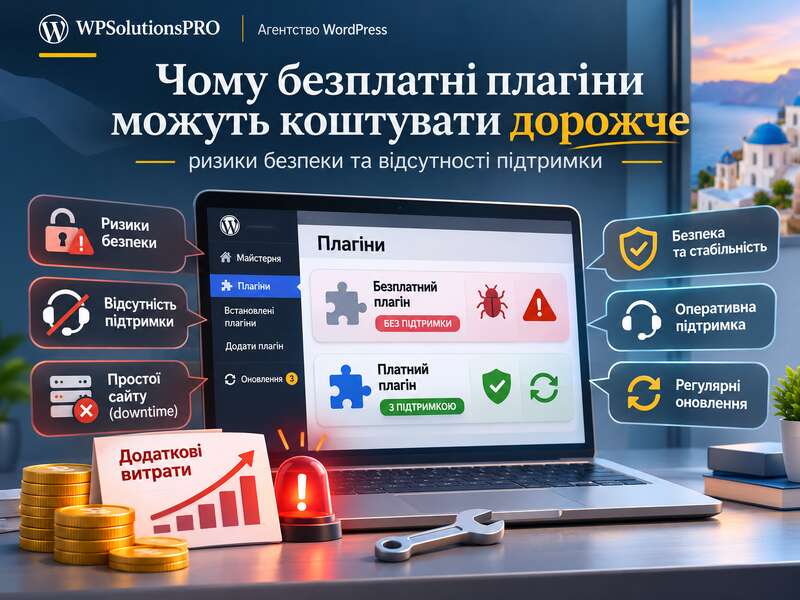
- The risk of a free plugin is the lack of support, not the price.
- A deactivated plugin can still be vulnerable.
- Use proven, updated solutions for critical functions.
Why the risk in free plugins grows specifically for business
For a personal blog or test site, many things can be tolerated: temporary incompatibility, a minor conflict with the theme, even a slow response from the author. For a commercial project, the same problems have a different cost. One vulnerable plugin can expose lead forms, personal data, the admin area, or content, and then lead to site compromise, loss of trust, and lost leads.
Most often, the risk arises not because the plugin is free, but because of the model behind it. A free project often has no SLA, no guarantee of fast fixes, no separate security process, or no team regularly reviewing the code. If the author has stopped maintaining it, the plugin may remain in the directory for years without being updated for new versions of WordPress, PHP, or its dependencies. For a business site owner, this creates technical debt that accumulates unnoticed.
It is also worth remembering that the WordPress directory is not a sign of lifelong quality. Being listed in the official directory means the plugin met the basic requirements at the time of publication, but it does not guarantee that the author will continue to support it. That is why a plugin’s lifecycle matters just as much as its initial features.
An unsupported plugin: where exactly a business loses money
At first glance, a free plugin saves budget. But the real cost appears later. If a vulnerability emerges, you need an audit, urgent updates, backups, compatibility checks, and possibly manual recovery after the incident. On top of that come site outages, SEO losses due to errors and downtime, lower conversion rates, and reputational risks. In the end, a “free” solution can turn out to be the most expensive one.
A separate problem is the lack of predictability. When you have paid support or custom development, you usually know who is responsible for patches, how quickly incidents are handled, and where to go for help. A free plugin may not offer any of that. If the author disappears, the community stays silent, and the vulnerability is already public, the business is left alone with the threat.
That is why, for critical functions such as payments, lead forms, CRM integrations, login, and handling personal data, a free plugin should not be evaluated as a “cheap alternative” but as a software risk. Sometimes it really is safe and sufficient. But sometimes it is cheaper to choose a supported solution from the start or build a custom implementation than to deal with an incident later.
What vulnerabilities are encountered most often
Patchstack’s 2025 statistics show the typical classes of issues commonly found in WordPress plugins: XSS, broken access control, CSRF, and SQL injection. For a business, these terms translate into very concrete risk scenarios.
- XSS can allow a malicious script to be injected into a page, steal a session, or alter content.
- Broken access control means a user may gain access to functions or data that do not belong to them.
- CSRF allows an authenticated user to be forced to perform an action without their explicit consent.
- SQL injection can affect the database and lead to the leakage or modification of information.
For a business website, these are not abstract terms. They mean the risk of stealing customer contacts, changing orders, replacing payment details, compromising the admin area, or triggering mass spam. And while not every vulnerability is equally dangerous for everyone, attackers launch automated attacks at scale. According to Wordfence in 2024, tens of billions of malicious requests and password attacks were recorded. In other words, a vulnerable plugin does not just “sit in the system” — it is very quickly swept up by automated scanning.
Why an inactive plugin is still dangerous
One common mistake is to think that if a plugin is deactivated, the problem disappears. That is not true. According to WordPress documentation, inactive plugins still remain installed on the site. In other words, they are not the same as deleted plugins. This matters for two reasons: first, the code still takes up space in the infrastructure; second, it can remain an attack surface and a source of technical debt.
If dozens of old, inactive, or half-forgotten extensions have accumulated on a site, this makes auditing harder, increases the risk of conflicts, and creates confusion when you urgently need to understand what exactly is installed. For security, it is important not only to disable but also to delete everything that is not being used.
Red flags before installing
- The plugin hasn't been updated for over a year.
- Support questions go unanswered.
- It asks for more access than its function needs.
- It's downloaded from somewhere other than WordPress.org or the developer's site.
What should raise concern before installing a free plugin
To avoid choosing a plugin at random, you should look at more than just the rating and the number of active installations. They are useful, but they do not give the full picture. Here are the basic signs worth checking before installation.
- Date of the last update. If it has been a long time since the last release, that is a warning sign.
- Compatibility with your version of WordPress and PHP. A plugin may be popular but technically outdated.
- Presence of a changelog. If there is no change history, it is hard to assess whether the author is actively working on the product.
- A public security policy or disclosure process. For a mature product, this is an important plus.
- Documentation on capability checks, nonces, and file protection. This is a sign that the developer is thinking about security.
WordPress documentation explicitly emphasizes the need to verify access rights, use protective checks, and prevent direct access to plugin files. If the code does not include basic security practices, the risk increases regardless of whether the plugin is free or paid.
How to tell a normal free plugin from a problematic one
The issue is not price, but transparency and maintenance. There are high-quality free plugins backed by an active team, regular updates, solid documentation, and a clear bug-fix process. In such cases, a free solution can be perfectly appropriate even for business use.
But there is another scenario: the plugin has not been updated for a long time, users complain about bugs in reviews, the author does not answer questions, and vulnerability fixes are delayed. In that case, even good functionality does not outweigh the risk. If a plugin works only because it has not yet become a target or has not yet gone obsolete, that is temporary luck, not reliability.
The practical rule is simple: if a plugin is important for revenue, data, or reputation, it should be assessed like any other business tool. It does not matter where it was downloaded from — what matters is who maintains it, how often releases are made, and whether you can count on a quick response.
What a site owner should do: a short checklist
If you manage the site yourself or through a contractor, it is worth introducing a simple plugin security policy. It does not need to be complicated, but it must be disciplined.
- Keep a list of all plugins and determine which ones are truly necessary.
- Check the last update date and compatibility before installing.
- Delete, rather than just deactivate anything that is no longer used.
- Update plugins regularly, not only after a failure.
- Keep backups and test the ability to restore quickly.
- Use a WAF and monitoring, because attacks on WordPress are massive and automated.
- For critical functions, consider solutions with paid support or custom development.
If a project has many plugins, it is also useful to classify them by risk level: low, medium, and high. For example, SEO or design blocks may be less critical than forms, authentication, payment integrations, or CRM connections. This approach helps not only with safe tool selection but also with planning update priorities.
What an agency or team managing the site should do
For a contractor or internal team, it is important to have a managed policy rather than a chaotic set of plugins. This is especially relevant when several people work on the site.
Useful practices include defining who is allowed to install new plugins, approving them against a simple checklist of criteria, assigning a person responsible for each critical plugin, recording the date of the next review, and removing duplicate functionality. For example, if several plugins perform a similar role, that only increases complexity and the likelihood of conflicts.
It is also important to remember the principle of least privilege. WordPress recommends separating public and administrative code and checking capability before action. If a plugin is written carelessly, it may open access to the wrong roles or the wrong scenarios. That is another argument for not choosing a plugin based solely on the principle of “free and popular.”
When a free plugin is appropriate and when it is better not to take the risk
A free plugin is perfectly appropriate if it performs a non-critical function, is updated regularly, has a clear changelog, and is not the single point of failure in a business process. For example, for minor decorative or supporting tasks, such an option may be entirely justified.
But if the function affects money, personal data, authentication, lead submissions, or admin access, the risk rises sharply. At that point, support, response speed, and the plugin team’s ability to issue a patch become important. If those guarantees are missing, the savings are questionable.
It is important not to go to extremes. A free plugin is not automatically dangerous, just as a paid one is not automatically safe. But for business, the cost of a mistake is always higher than it seems at the start. That is why the main rule is: assess not the price tag, but the risk across the full lifecycle.
Free plugins can be a good tool, but only when they are backed by active support, transparent updates, and a solid security culture. In WordPress, plugins remain the main source of vulnerabilities, and automated attacks make any weak link a very fast target. For a business website, this means one simple thing: free does not mean safe, and lack of support often costs more than the plugin itself.
If you are not sure whether you can trust a specific solution, it is worth auditing your plugins, removing what is unnecessary, checking critical extensions, and building a clear update policy. In many cases, that is cheaper than dealing with the consequences of an incident. And when a function is truly important for the business, it is better to choose not the simplest free option, but the one with a lifecycle, support, and accountability.
If you need help reviewing plugins, auditing security, or choosing a stable solution for your site, we can help assess the risks and suggest a safer path without unnecessary experiments.
Frequently asked questions
What are the risks of free plugins?
The main risk is not the price but the lack of support: vulnerabilities may stay unpatched for years, and there is no one to contact when something breaks.
Is a deactivated plugin safe?
Not always: its files stay on the server and may contain vulnerable code. Remove plugins you don't need completely.
When is a free plugin a good choice?
When it handles a non-critical function, is actively updated and has a transparent developer. For payments, forms with personal data or security, choose proven supported solutions.