


“Zoo” on WordPress: How to choose plugins so as not to kill the speed and security of the site
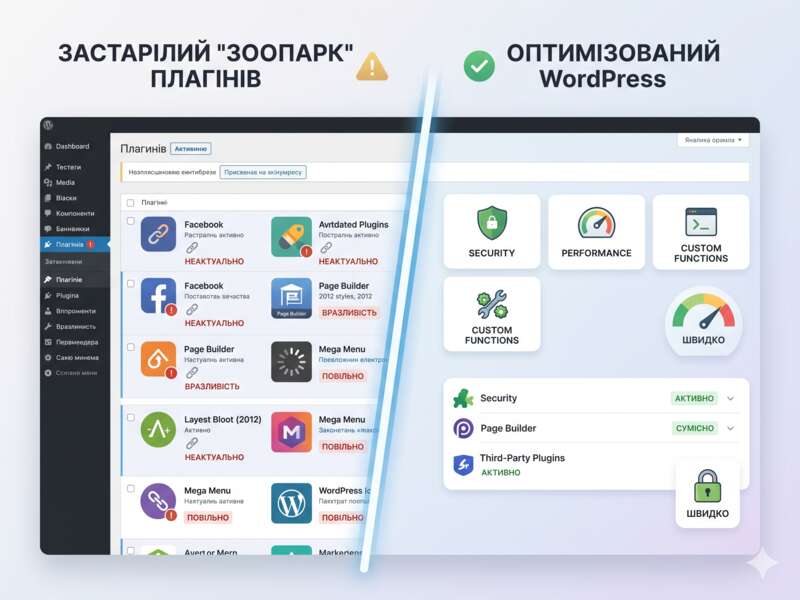
Have you ever been to your WordPress admin panel and the list of active plugins scrolls endlessly? It seems like there’s a separate tool installed for every little thing—removing a button, changing a color, or adding a widget. The result? A site that weighs like a spaceship, takes forever to load, and periodically throws up 500 errors or script conflicts.
We call it a “plugin zoo .” It’s not just a mess—it’s a serious threat to your business. Let’s take a look at how to distinguish a quality tool from the “garbage” that only slows down your project.
Why is having too many plugins a trap?
Many website owners think that plugins are free “building blocks” for building a perfect website. Install, activate, and you’re done. But behind every free solution is code. And code is server resources.
Here are the main reasons why a “zoo” is a bad idea:
- Conflicts: Plugins are often unaware of each other’s existence. If the developer of one has added their script and the other has added theirs, they can conflict, resulting in a “white screen of death” or broken buttons on the site.
- Security: Every additional plugin is a new “door” for hackers. The more third-party code, the more vulnerabilities.
- Speed (Core Web Vitals): Every plugin loads its own styles (CSS) and scripts (JS). Even if you don’t need this functionality on a particular page, it still loads, increasing server response time.
- Technical debt: WordPress or PHP version updates (e.g., moving to PHP 8.2) can “lay” an outdated or low-quality plugin that the developers abandoned two years ago.
Checklist: How to choose a plugin that is safe to install on a website?
As developers, we always check a few critical parameters before hitting the “Install” button. You can do the same.
- Last updated date
If a plugin hasn’t been updated in over a year, that’s a red flag. WordPress evolves quickly, and old code may simply not be compatible with new security standards.
- Rule: Choose plugins that have been updated within the last 3-6 months.
- Number of active installations and rating
This is social proof. If a plugin has 500,000+ installations and a 4.5+ rating, it means its code has been tested by thousands of other sites. This reduces the risk of encountering a critical bug.
- Compatibility with your version
In the WordPress admin, it always says: “Tested up to version XX.” If the number there is significantly lower than your current WordPress version, it’s better to look for an alternative.
- Impact on performance
Does the plugin add additional HTTP requests? Does it affect database speed? If you are looking for a tool for “Share” buttons, choose one that does not load social media scripts on all pages, but only where it is needed.
When are plugins a dead end?
Sometimes the bloated number of plugins arises because we try to “sculpt” functionality where we need to write our own code.
For example, if you only need to display a phone number in the header of your site, why install a 2 megabyte builder plugin? It’s better to ask the developer to add a small piece of code to functions.php or create your own lightweight plugin for your task.
Advantages of your own code:
- Speed: The code executes instantly, without unnecessary requests.
- Security: Less third-party code = fewer holes for attacks.
- Flexibility: We can write the logic exactly as your business requires, without being tied to the limitations of a third-party developer.
How to “clean up” your site: plugin audit
If you already see that your site is slowing down and the list of plugins is terrifying, here’s what you need to do:
- Do an audit: List all the plugins. Do you really use them every day? Are they critical?
- Performance Test: Disable suspicious plugins one by one and check the loading speed via PageSpeed Insights. Sometimes you remove one “heavy” plugin and the site “flies”.
- Replacement with analogues: Often one heavy plug-in combine can be replaced with two small and light ones that perform their task without unnecessary “garbage”.
Why turn to professionals?
We’ve seen hundreds of sites crash due to conflicting plugin updates or a “zoo” overloading the database. Fixing such issues often costs more than professional site support.
Our job is not just to “install a plugin.” We analyze:
- How does the plugin work with your version of PHP , and whether it needs to be updated.
- Does it conflict with WooCommerce or your integrations (e.g. CRM or logistics services).
- How to optimize the load so that the site is fast for the client and understandable for search engines.
Don’t wait for your site to turn into a “pumpkin” because of another plugin update that broke the layout.
Need an audit of your WordPress site? Want to get rid of unnecessary plugins and speed up page loading?
Write to us. We will analyze your configuration, remove everything unnecessary and set up stable, fast operation of your project. Let’s make quality websites together.
FAQ: Short answers to popular questions
How many plugins is “normal”? There is no magic number. 50 high-quality, lightweight plugins can work faster than 5 crooked and “heavy” ones. The main thing is not the quantity, but the quality of the code and their impact on speed.
Is it safe to delete plugins? It depends on the plugin. Sometimes, database tables or pieces of code are left behind after deletion. We recommend backing up your site before any bulk deletions or updates.
Is it possible to live without plugins at all? Theoretically yes, but WordPress is designed to be flexible. Smart minimalism is the key to success.