
Contents
- 1Where the danger comes from: not the theme name, but the supply chain
- 2Why old or unsupported code is more dangerous
- 3How a theme can become an attack entry point
- 4Why the biggest damage is often not the break-in itself, but recovery
- 5What to do if a nulled theme has already been used on the site
- 6How to build a safer project without relying on questionable copies
- 7Frequently asked questions
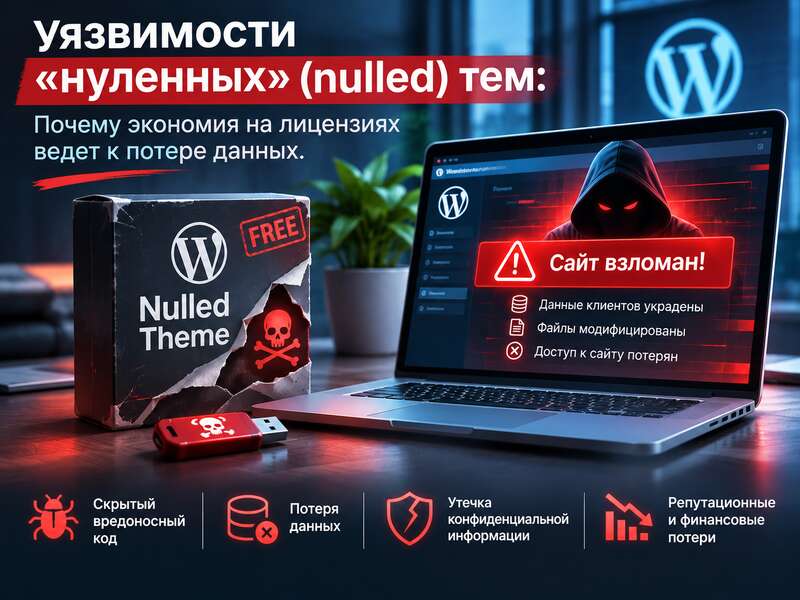
The idea of “taking a theme without a license and figuring it out later” only seems simple until the first incident. For a WordPress site, the problem is not limited to ethics or terms of use. The main risk is much more practical: you are placing code from an unverified distribution channel into an environment where that code gets access to files, the database, the admin panel, and integrations. This is where scenarios begin in which saving money on a license can turn into a loss of data and time.
Key takeaways
- A nulled theme is a cracked copy with no security updates.
- Malicious code in it can stay hidden for months.
- The biggest losses often come during recovery after a breach.
Where the danger comes from: not the theme name, but the supply chain
Official WordPress materials recommend not downloading plugins and themes from untrusted sources and limiting yourself to the official repository or well-known companies. This does not mean that every third-party copy is automatically malicious. But the distribution channel itself already raises risk: if a package does not come from a trusted source, there is no way to be sure it was not altered in transit or repackaged with additional code.
This approach aligns well with OWASP recommendations on supply chain security. They advise preferring components from official and trusted sources, as well as digitally signed packages, to reduce the chance of receiving a modified or malicious component. In other words, the problem is not only a “nulled” theme as such. The problem is the lack of guarantees about origin, integrity, and change history.
For WordPress, this is especially important because themes are not just a decorative layer, but part of the site’s working logic. They can output data, build templates, load scripts, interact with settings, and store parameters in the database. If there is a weak spot, bug, or intentionally added fragment in that code, the consequences go far beyond “broken design.”
Why old or unsupported code is more dangerous
WordPress documentation explicitly states that the most important thing for security is to keep WordPress itself, as well as all installed plugins and themes, up to date. This is not a guarantee of safety, but it is an important risk indicator: when code has not been updated for a long time, known vulnerabilities or incompatibilities with newer security mechanisms are more likely to accumulate.
NIST, in its vulnerability management guidance, describes several ways to reduce risk: patching, disabling the vulnerable function, or upgrading to a newer version without the known issue. For WordPress practice, this means something simple: if a theme does not receive proper updates, you lose one of the main protection mechanisms. Even when the site appears stable on the surface, that does not prove it has no weaknesses.
An additional problem is compatibility. Many sites run for years on a mix of an old theme, old extensions, and manual template edits. Over time, such an environment becomes fragile: updating one thing is difficult because something else may break. With a nulled theme, this risk is even higher because you do not fully control what is inside the package or how it was assembled.
What should not be overstated here
It is correct to speak not of “inevitable infection,” but of an increased risk. This distinction matters. An unverified source does not prove the presence of a backdoor or malicious code, but it does remove your ability to trust the package in the same way you would trust an official build from the developer or a stable directory with known acceptance rules.
How a theme can become an attack entry point
WordPress theme security documentation emphasizes that when defending against SQL injection, you should use WordPress functions where they exist. That sounds technical, but the meaning is very practical: secure theme code is not written “by eye.” It must handle input correctly, work through trusted APIs, and avoid creating new holes through awkward custom fragments.
WordPress also stresses that themes and plugins are key weak points, and that new vulnerabilities appear as technologies evolve. This is important for understanding the issue: even a legitimate theme is not eternally safe. If it also comes from an unofficial source, you are increasing two types of risk at once — technical risk and supply chain risk.
For an attacker, a theme with a wide set of permissions and access is a convenient place to persist. It may read or modify content, load resources, interact with the admin area, and sometimes create footholds for further action. At the same time, not every theme problem looks like obvious malicious code. Some incidents begin with a simple data handling mistake or a weakness in an old version.
Why the biggest damage is often not the break-in itself, but recovery
Now to data loss. In WordPress documentation, backups and recovery planning are treated as part of the hardening approach. It explicitly states that regular backups help you recover more quickly after a problem, and that preparation should include full database backups that you have tested for restoreability.
This is especially important for sites where the theme affects not only display, but also saved settings, blocks, templates, metadata, images, and other related elements. In WordPress, files and the database effectively function as a single environment. The backup documentation separately reminds us that site files include the core, themes, plugins, uploads, wp-config.php, and .htaccess, and therefore the file layer and the database should be treated as one backup set.
The practical consequence is straightforward: if a theme is compromised, restoration may not be limited to files. You may need to check the database, users, scheduled tasks, API keys, integration settings, and third-party embeds. That is why the cost of an incident often rises faster than expected. Sometimes the most expensive part is not the recovery itself, but the downtime, the audit of all changes, and the repeated verification of the entire environment.
For a business, the real cost of a mistake may turn out to be much higher than the price of a license, but that depends on the size of the project, how critical the site is, the length of downtime, and the cost of recovery. This is not a universal formula, but the typical economics of an incident.
If a nulled theme is already installed
- Make a full copy of the site before any changes.
- Replace the theme with a licensed version or another theme.
- Scan files and the database for malicious code.
- Change all admin passwords, keys and sessions.
What to do if a nulled theme has already been used on the site
If a nulled theme has already been used on the project, it is safer to treat that as an ongoing risk rather than waiting for something to break. The site may open normally, work in the admin area, and even pass a basic check, but that does not prove the absence of hidden changes.
You should start with a technical inventory. Check not only the theme files, but also the database, user list, roles and permissions, scheduled task queue, email integrations, analytics, payment services, and any external API keys. In complex cases, it is useful to compare the file tree with a clean version of a legitimate replacement, and also review the most recent changes in the uploads directory and any directories where the theme may have written data.
Next, do not limit yourself to simply deleting the suspicious theme. If there are signs of compromise, change passwords, review accounts with administrative rights, update the WordPress core, all plugins, and the new theme, and close any unnecessary access. WordPress explicitly emphasizes timely updates as a key security element, so after an incident this step becomes even more important.
Minimum steps after suspecting compromise
- make a copy of the current state for investigation before deleting anything;
- check the database for unfamiliar records, roles, and options;
- review users, especially administrators and recently created accounts;
- update WordPress, all plugins, and the new theme;
- change passwords and revoke unnecessary access tokens;
- restore only from a verified backup set, not from files you are unsure about.
How to build a safer project without relying on questionable copies
For a developer, the best strategy is not to build a client site on a repackaged premium theme that cannot be properly maintained. Instead, it is better to take an official theme, create a child theme, and move the functionality that needs to evolve into separate plugins or custom code. This makes it easier to keep control over changes, updates, and testing.
Official WordPress theme documentation shows that security is not a one-time action, but an ongoing process: the theme must handle data correctly, use existing WordPress functions, and account for new risks that appear as the platform evolves. This works very well as a practical guideline: if you have the option to avoid a repackaged third-party package, it is better to do so.
For a business owner, a healthy compromise also exists. Trust official or well-known providers, not random copies with unclear origins. At the same time, you should have a backup layer in place: regular backups, restore testing, off-server storage of copies, and a clear incident response plan. Then even a mistake or compromise does not turn into a catastrophe.
The most useful mindset shift here is simple: instead of asking “can we save money on the theme?”, ask “how much will downtime, auditing, recovery, and re-verification cost us if the package turns out to be problematic?” That question is what helps separate short-term savings from the real cost of owning a website.
Frequently asked questions
What is a nulled theme?
It is a cracked copy of a paid theme distributed without a license. It doesn't come from the developer, so there's no guarantee nothing malicious was added.
Why is a nulled theme dangerous if the site works fine?
A backdoor can stay hidden for months, and the theme gets no security updates. The real damage often shows up later, during a breach and data recovery.
What if a nulled theme is already installed?
Replace it with a licensed version or another theme, scan files and the database for malicious code, change all passwords and keys and set up monitoring.